I’m getting PhantomVault ready for a standalone release on the Mac App Store. If you want a private place for selected files without setting up the rest of PhantomSecure, that’s what this app is for.
The idea goes back to my time working for an NGO in the Middle East. We traveled with sensitive documents and used encrypted containers disguised as movies. We also kept our mail folder inside a hidden volume, opening it when we needed to work. I wanted to bring that everyday workflow to an app that felt at home on a Mac.
Open a vault, work in Finder
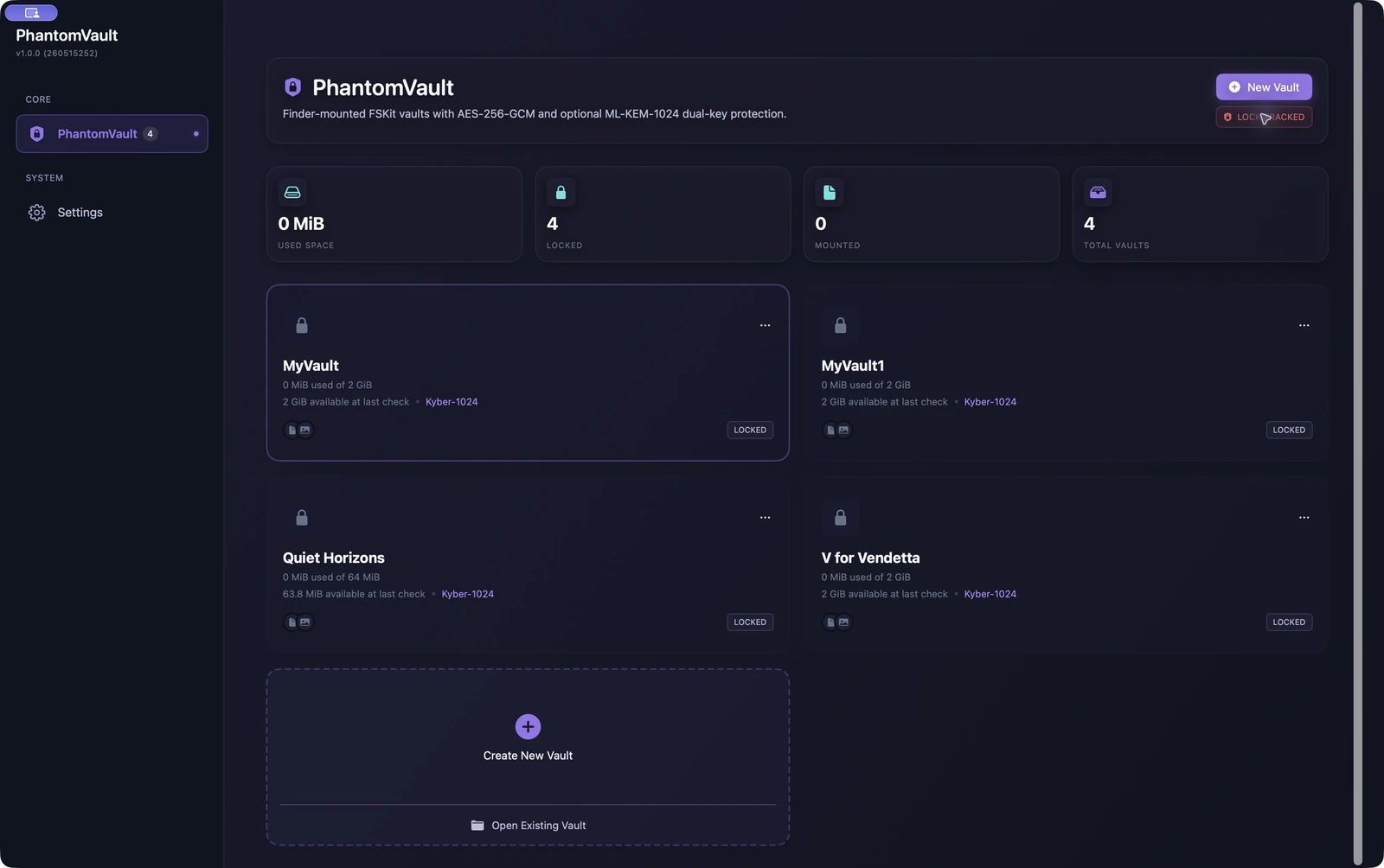
PhantomVault stores your files in an encrypted container. Unlock it and it mounts in Finder, where you can browse folders, add documents and work with the files inside. When you’re finished, unmount the vault.
You can unlock a vault with a password or a compatible USB FIDO2 security key. Optional dual-key protection adds a second key tied to this Mac or held in iCloud Keychain. The app also has its own lock, separate from the keys that unlock a vault.
For me, the point is to make this useful for regular work. Your private documents should be easy to reach when you need them, then easy to close when you’re done.
A movie you can still watch
You can also put a vault inside a playable movie file. Choose a movie, create the movie vault and add your private files through Finder. The workflow keeps your original movie safe.
Open the resulting file in a media player and it plays the movie. Open it through PhantomVault and unlock it to reach the encrypted files. That ordinary appearance supports plausible deniability during everyday viewing: someone can preview or watch the movie while the vault stays locked. The encrypted contents stay locked until you authenticate in PhantomVault.
The standalone release
The app will require an Apple silicon Mac running macOS 27 or later. You won’t need a PhantomSecure account. Subscriptions will be handled through Apple at $4.99 per month or $34.99 per year, with a three-day free trial for eligible subscribers.
This subscription is separate from PhantomProtect and PhantomSecure Suite subscriptions on our website; subscriptions won’t transfer automatically between them. PhantomWatch remains part of Protect and Suite.
I’m keeping the existing Mac vault format as the basis for the standalone app, with portability to the website-distributed app in mind. I’ll explain the supported transfer steps before release.
What I want to bring to iPhone and iPad
I’m also planning an iOS app that can open Mac-created vaults and create compatible vaults on iPhone and iPad. The goal is an in-app file browser, with ways to add files from other apps and share or export files from a vault.
I want compatible security keys, including YubiKey, to be part of that experience too. The shared format, key handling and supported devices still need implementation and testing. I’m not announcing an iOS release date yet.
I’ll share more as the Mac App Store release gets closer.